
Retro Casino app
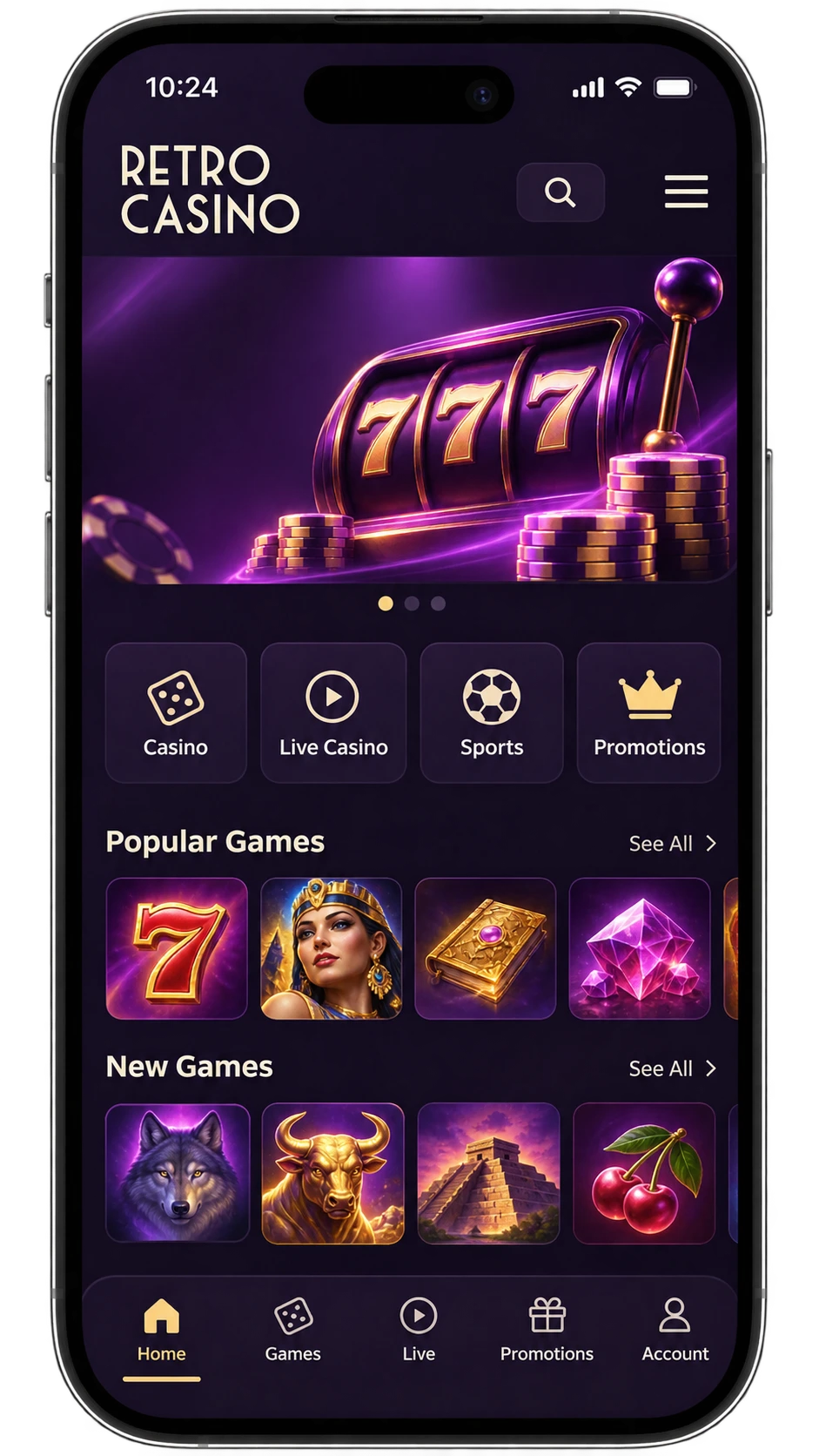
The Retro Casino app brings our games, live tables, payments and browser profile together on your handset. Choose from 3,000+ games without creating separate credentials for mobile play. We build touch controls around portrait and landscape viewing, so switching between a slot and a table does not mean changing how you access your balance. Deposits, withdrawals and bonus progress remain connected to the same profile used through retrocasino.eu. Access is for adults aged 18+; choose a comfortable session length before starting.
How to Download the Retro Casino app
We offer Retro Casino through the App Store for Apple devices and Google Play for Android because these routes keep installation within familiar store controls. Follow the matching link from retrocasino.eu rather than searching through unrelated results. Our browser version remains available without installation, including when storage space is limited or a system cannot run the application.
| Device | Minimum System | Size | Source | Install Time |
|---|---|---|---|---|
| iPhone and iPad | iOS 15.0 or later | 164 MB | App Store | About two minutes |
| Android phones and tablets | Android 10.0 or later, 3 GB RAM | 128 MB | Google Play | About two minutes |
| Mobile browser | Chrome, Safari, Firefox, Samsung Internet | No installation | retrocasino.eu | Immediate access |
For Android Phones and Tablets
- Open retrocasino.eu in Chrome on your handset or tablet.
- Enter our app section to find the Android installation option.
- Follow its Google Play link and download the application.
- If Android requests permission to install from this source, allow it once.
- Open the application, then log in with existing credentials or register.
For iPhone and iPad
- Open retrocasino.eu in Safari using your iPhone or iPad.
- Enter our app section to find the Apple installation option.
- Tap through to the App Store and select the download.
- Confirm installation using Face ID or your Apple ID password.
- Launch the application, then log in or create a profile.
We request network access and notifications, never contacts, photos or location.
Logging In and Getting Started
Use an email address and password to enter the Retro Casino app, then enable biometric login through Menu > Profile > Security for later visits. Registration asks for email, password, date of birth and place of residence, alongside age confirmation and an optional promo code. Existing browser credentials work without another registration. After signing up, open Menu > Cashier > Deposit and switch on the welcome bonus before funding your balance. Review entered details before confirming, particularly information needed for subsequent verification.
Games and Features in the Retro Casino app
Our mobile lobby contains the full catalogue rather than a smaller selection. Search by title when you know what you want, or browse categories before opening a game.
- Slots include Gates of Olympus, Sweet Bonanza and Egypt Fire, with individual controls displayed inside each title.
- Live casino provides roulette and blackjack tables for sessions with live dealers.
- Table games include French Roulette alongside blackjack choices, separated from slot browsing.
- Crash and instant games include Aviator and Chicken Road 2.0.
- Lobby filters offer Hot and New selections when browsing beyond a familiar title.
Games at Retro Casino load through a mobile browser engine using Wi-Fi or mobile data. Keep a stable connection during live rounds, where actions follow the table’s displayed pace. Search helps locate a specific title without scrolling through every category. Touch controls remain inside each game, while its information panel explains available stakes and features before a round begins. Returning to browsing lets you choose another format without changing credentials.
Deposits and Withdrawals on Mobile
Our cashier brings funding and payout requests into the Retro Casino app without a separate payment profile. Open Deposit when adding funds; use Menu > Cashier > Withdraw when requesting money back. Review payment details before submitting either transaction.
| Item | Details |
|---|---|
| Minimum deposit | $11 |
| Maximum deposit | $5,495 per transaction |
| Minimum withdrawal | $22 |
| Maximum withdrawal | $825 per 24 hours; $4,400 per 7 days; $13,200 per 30 days |
| Deposit methods | Visa, Mastercard, Skrill, Neteller, Apple Pay, Google Pay |
| Withdrawal methods | Bank transfer to an account in your name |
| Deposit processing | Cards and e-wallets instant; bank transfer 1 to 3 banking days |
| Withdrawal processing | 2 banking days |
| Deposit turnover | 1x before withdrawal |
| Fees | 30% withdrawal commission when total bets fall below the initial deposit |
| Account currencies | USD |
| Verification | KYC before withdrawal processing |
| Third-party payments | Not permitted |
| Cash and cheques | Not accepted |
Apple Pay and Google Pay provide one-tap deposit options within the Retro Casino app. These options fund play rather than receive withdrawals. Our payout route remains bank transfer, with identity verification completed before processing begins. Use only payment details belonging to you.
Claiming Bonuses on Your Phone
We make welcome bonuses at Retro Casino available through mobile and browser play on the same terms. The first deposit adds 150% up to $550, plus 50 / 100 / 150 free spins in Gates of Olympus for deposits of $11 / $33 / $77 respectively. The second adds 100% up to $1,100, with 10 / 30 / 50 spins in Sweet Bonanza at those same thresholds. Deposits three and four each add 100% up to $1,100, with an $11 minimum.
Each deposit bonus carries 40x wagering, with progress accessible through Menu > Rewards > Active Bonus in the Retro Casino app. Cashback starts after registration and a first deposit, earning returns on bets. Our loyalty programme awards 60 CP upon signup and CP with every spin. Points remain valid for 30 days; advancing levels unlocks exclusive perks, boosted payouts and VIP treatment.
Account Security on the App
We provide biometric access at Retro Casino through Face ID or fingerprint, plus optional two-factor login for an additional login check. Enable these controls under Security rather than sharing credentials with anyone else. An inactive session closes after 15 minutes. Nothing beyond information needed for login stays stored on your handset. Locking the screen between sessions also helps keep access under your control when somebody else handles the device.
Only one profile per person is permitted in the Retro Casino app, with checks covering email, device and payment method. VPN use is not allowed and leads to restrictions. Keep registration details consistent with verification documents before requesting a withdrawal. Play as entertainment within a budget set before the first deposit.
Frequently Asked Questions
Is the Retro Casino app Available in the App Store and Google Play?
Yes, we provide native versions through both stores. Start from our website’s app section, then follow the link matching your operating system. Store confirmation completes installation before the application opens for login. Browser access remains another option when you prefer not to install anything.
Do I Need a New Account for Mobile Play?
No, existing browser credentials also work on mobile. Enter the same email address and password rather than creating another profile. Your balance, bonus progress and payment access remain connected. New registrations are needed only when you have not already joined, with one profile permitted per person.
Which Payment Methods Work on My Handset?
Cards and e-wallets support deposits, including Visa, Mastercard, Skrill, Neteller, Apple Pay and Google Pay. Other listed options include Bitcoin, Ethereum (ETH), Tether (USDT), Litecoin (LTC), Paysafecard, Neosurf and Paypal. Withdrawals use bank transfer to an account held in your own name, not a third party’s details.
Can I Play Live Casino Tables on Mobile?
Yes, live roulette and blackjack are available through our mobile lobby. Choose the live category, select a table and read its displayed rules before joining. Keep an uninterrupted connection during play, since live rounds follow table timing rather than waiting for a disconnected handset to reconnect.
Can I Claim the Welcome Offer Through Mobile?
Yes, the welcome offer works through mobile as well as browser access. Turn on the bonus switch before confirming an eligible deposit, then follow progress under Active Bonus. Deposit stages have their own matching percentages and spin allocations, so review the selected stage before committing funds.
What Should I Do if Installation Fails or My System Is Incompatible?
Use our browser version without installing anything while resolving compatibility problems. Chrome, Safari, Firefox and Samsung Internet provide access, and a home screen shortcut keeps the site within reach. Email support@retrocasino.eu with your handset model and system version for installation assistance. We reply within 24 hours.
How Do I Contact Retro Casino Support From Mobile?
Open Menu > Support > Help to reach live chat, available 24/7. Describe the issue and include relevant transaction information when asking about a payment. Never send your password. For installation problems, include the system version and handset model so our team can address the correct setup.
Download the Retro Casino app
We bring 3,000+ games, live roulette and blackjack to mobile, with the same account you use in your browser. Download our native Retro Casino app from the App Store or Google Play. Your first deposit offers 150% up to $550, with 40x wagering on the deposit bonus. Manage deposits, request bank-transfer withdrawals and follow bonus progress from your handset.
Keep your games and bonus progress together.
Last updated: